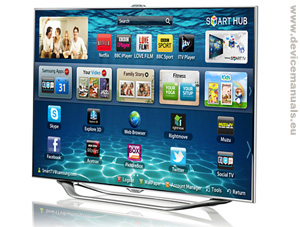
Television Samsung 46″ ES8000 Series 8 SMART 3D Full HD LED TV
Download Samsung LED ES8000
user manual in PDF format operating instrucitons:
Intuitive interaction with voice and motion control
New sophisticated Smart Interaction technology enables you to operate your TV without pushing a button. You can easily control functions such as turning on / off your TV, changing channels, accessing apps and navigating the web using simple voice commands and motions. Built-in camera with face recognition technology lets you log on to Smart Hub and your personal accounts with no need to type your ID or password. Experience a whole new way to interact with your TV.
Enjoy smarter viewing with enhanced content and features
Enter a world of online entertainment with the new enhanced content made available through Samsung’s latest three new signature services – Kids, Fitness and Family Story. The Samsung Kids application brings together home entertainment with fun and beneficial educational programmes, Samsung Fitness lets you maintain your exercise routines in the comfort of your own home, and Samsung Family Story ensures that your precious family moments are not only saved but easily shared on your Smart TV. Experience breathtaking Full HD 3D contents at home with the 3D explore feature. These amazing new Samsung TV Smart Hub features will enrich your living and be your lifestyle partner.
HELP! I forgot my password to open my tablet! How can I bypass or open my tablet and change the password? It’s the very first one after sliding to open. Please help me.
Question:
Regarding the USB. When I watch a program from a disk-on-key and then delete it, it continues to appear when I put the d-o-k in to watch another program. It is only the name without the program and it shows a red circle when I try to load it. On the computer, after I have deleted, it doesn’t show up. It seems that it has been loaded into a memory but I cant find any way to delete it. Please advise me how to do so as there is nothing written in the very slim manual I received.
“ES8000 Samsung HD TV – LED 3D user manual
| User device manuals for AEG-Elektrolux, Asus, Apple, Bosch, Canon,
Gardena, HTC, Husqvarna, MSI, Philips, Samsung, Siemens” was a remarkable posting.
If only there was a lot more blogs such as this amazing one
on the actual web. Nonetheless, thanks for ur precious time, Annis
HELP! I forgot my password to open my tablet! How can I bypass or open my tablet and change the password? It’s the very first one after sliding to open. Please help me.
Question:
Regarding the USB. When I watch a program from a disk-on-key and then delete it, it continues to appear when I put the d-o-k in to watch another program. It is only the name without the program and it shows a red circle when I try to load it. On the computer, after I have deleted, it doesn’t show up. It seems that it has been loaded into a memory but I cant find any way to delete it. Please advise me how to do so as there is nothing written in the very slim manual I received.
Max Mader
Does the Samsung ES8000 have a power button on the actual TV itself? We have one and can not find it anywhere
tv it does not power button
If you are looking at the rear – it’s at the bottom left (just push the knob in).
“ES8000 Samsung HD TV – LED 3D user manual
| User device manuals for AEG-Elektrolux, Asus, Apple, Bosch, Canon,
Gardena, HTC, Husqvarna, MSI, Philips, Samsung, Siemens” was a remarkable posting.
If only there was a lot more blogs such as this amazing one
on the actual web. Nonetheless, thanks for ur precious time, Annis